
#Welcome
The guild's internal landing page. Sits at the very top of the sidebar — but not the default landing channel any more: when a member clicks into the guild from the home dashboard, they now land on #Request Regear instead (the channel they spend the most time on). #Welcome is one sidebar click away whenever they want the guild's banner, description, recent kills, and widget list.
Always visible to every member. The content is what you configured on Settings → Public Profile.
What's on the page
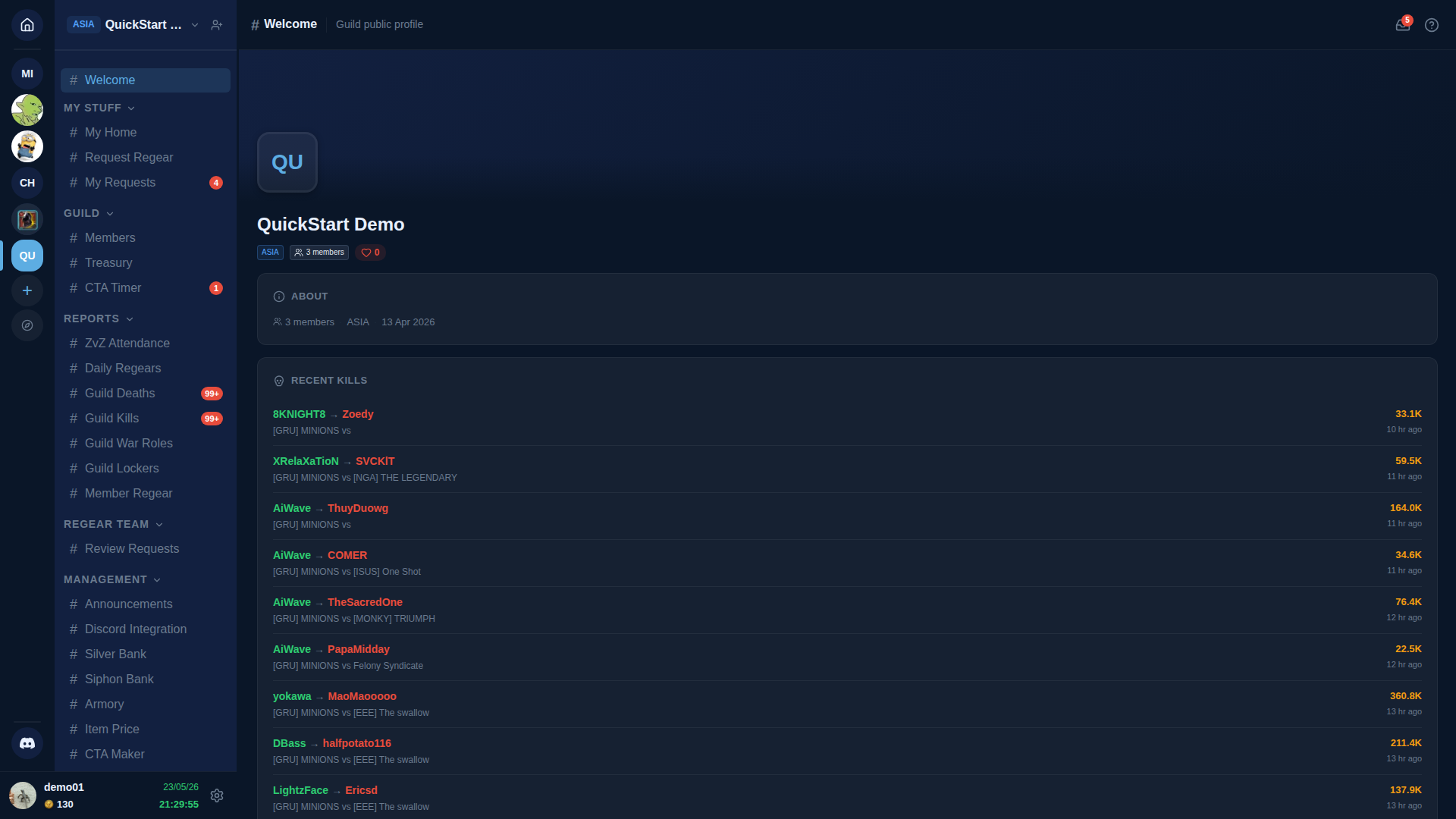
The page is a stack of widgets in the order configured on Settings → Public Profile → Widgets:
- Banner image + guild name + icon — header always shown.
- About — the description set on Settings → Guild Profile.
- Recent Kills — last 10-20 kills credited to the guild (from
#Guild Kills). - War Roles — visual list of your guild's war roles (read-only — for editing see Settings → War Roles).
- Messages — a pinned messages area for guild-wide notices.
- Pinned Kills / YouTube Highlights — optional, off by default.
Each widget can be enabled / disabled + reordered on Settings → Public Profile.
Public vs internal
The same page is what visitors see at /g/<your-vanity-slug> when your guild is on Open for recruitment. The internal #Welcome channel always shows the page; the public URL respects the Recruitment + Visibility toggles.
Cross-links
- Settings → Public Profile — configure widgets, banner, recruitment status, visibility.
- Settings → Guild Profile — internal-facing icon + display name + description (the "About" content).
- Owners — Public profile + vanity slug — the public URL setup.